
Let’s get you
set up.
Three quick details help us understand who is using Panthers Fan App. Your information is never shown publicly.
✓ You’re ready
Open Panthers Fan App
Save Panthers Fan App to your phone
- Tap Open Panthers Fan App below.
- In Safari, tap the Share button.
- Scroll down and choose Add to Home Screen.
- Turn on Open as Web App if shown, then tap Add.
- Tap Open Panthers Fan App below.
- In Chrome, tap the three-dot menu.
- Choose Install app or Install and create shortcut.
- Confirm by tapping Install.
Once saved, open it from the new Panthers icon on your home screen.
Need a picture guide?
Tap a guide to open it full size. You can save or share it from there.
 iPhone guide
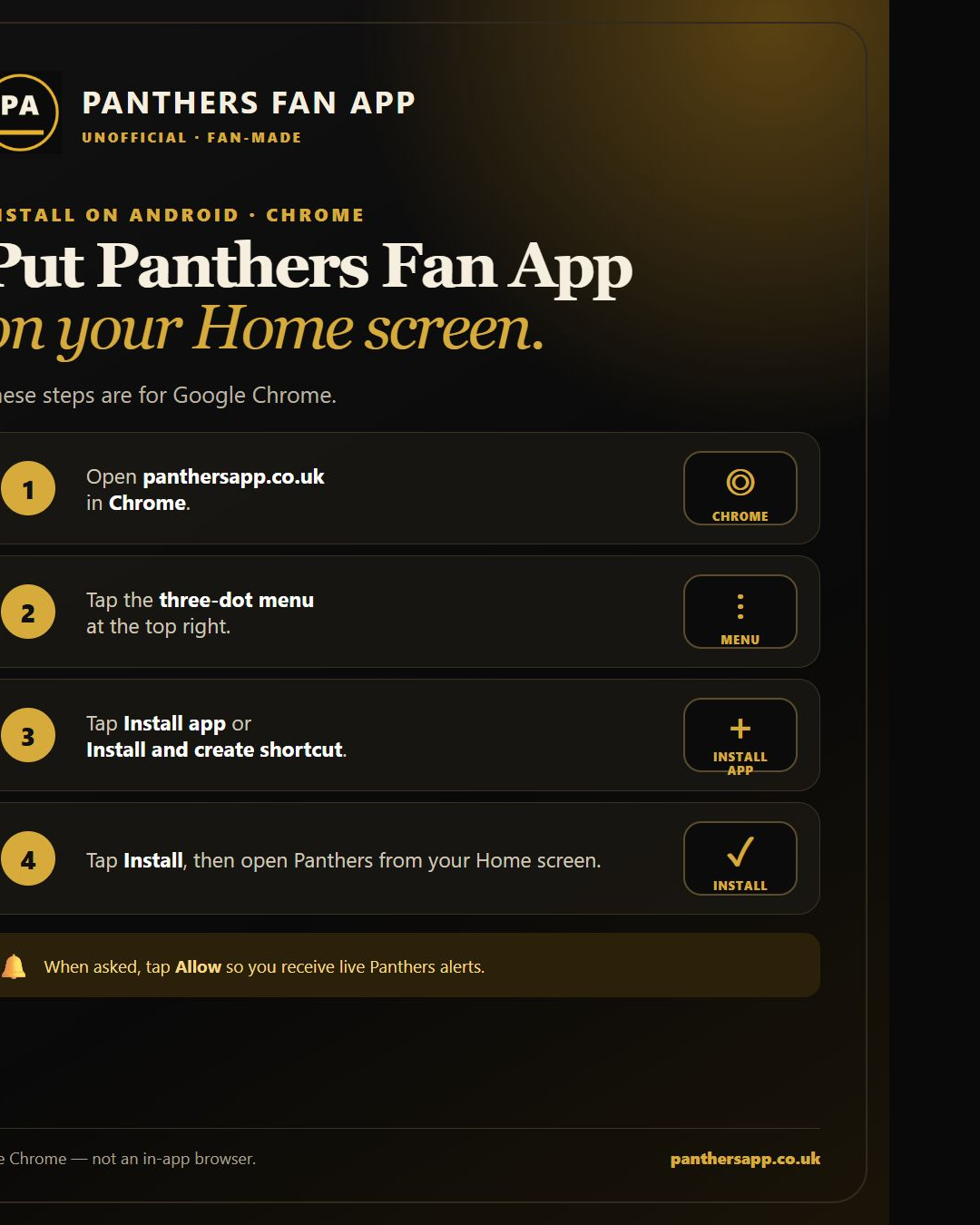 Android guide
 Android notification help